This project was not affiliated with Costco's organization.
Costco's app, redesigned for real user intent by prioritizing membership QR code accessibility and a modernized UI that reflects how members shop today.

Project Details
TIMELINE
Dec 2025 ~ Jan 2026
ROLE
UI/UX Designer
Personal Project
TOOLS
Figma
01 Problem
Membership QR Code Inaccessibility
Costco's app buries its most used in store feature, the membership QR code, behind multiple taps, creating friction at the exact moment members need it most: standing at the warehouse entrance and for some locations checking out at the counter. The app is growing 40%+ in traffic. Yet the digital card, the one feature every in store member needs, is buried behind multiple taps on the homepage.
Why was the redesign necessary?
I asked around and 7/7 of my friends who have Costco memberships mentioned bringing the physical Costco membership card because the digital card was not convenient enough. Even 3 clicks was too much to drive change in user behavior.
Research
The Increased Usage of the Digital Membership Card
Mandatory physical or digital membership card scanning has been enforced across all locations since 2024.
Scanning Drives Results
Early feedback from the card reader streamlining was very positive from both consumers and employees, leading to increased membership sign ups. Also, the membership card already accounts for 73% of Costco's total income, making frictionless card access a business critical design problem.
HEAT MAP
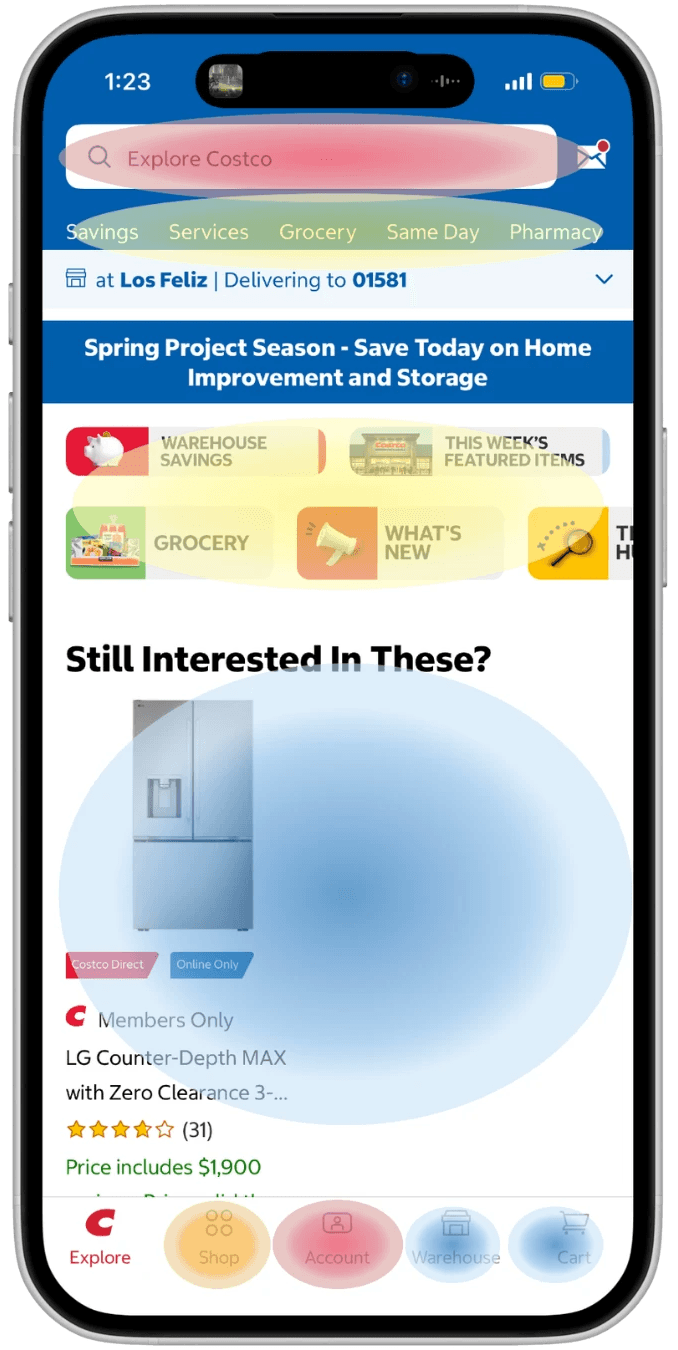
Tap Density Scale
Very high - Primary Intent
High - Active Browsing
Medium - Exploratory
Low - Passive/Ignored
Account is a top 2 tap destination, not because it is a great feature, but because it's the only way to reach the membership card for the scannable qr code. High tap density on a buried nav item is a signal of friction, not engagement. This validated the need for redesign.
Design Challenge
How might we introduce the Costco membership card instantly on app open, eliminating the current 3-tap workaround?
02 Design
User Flow
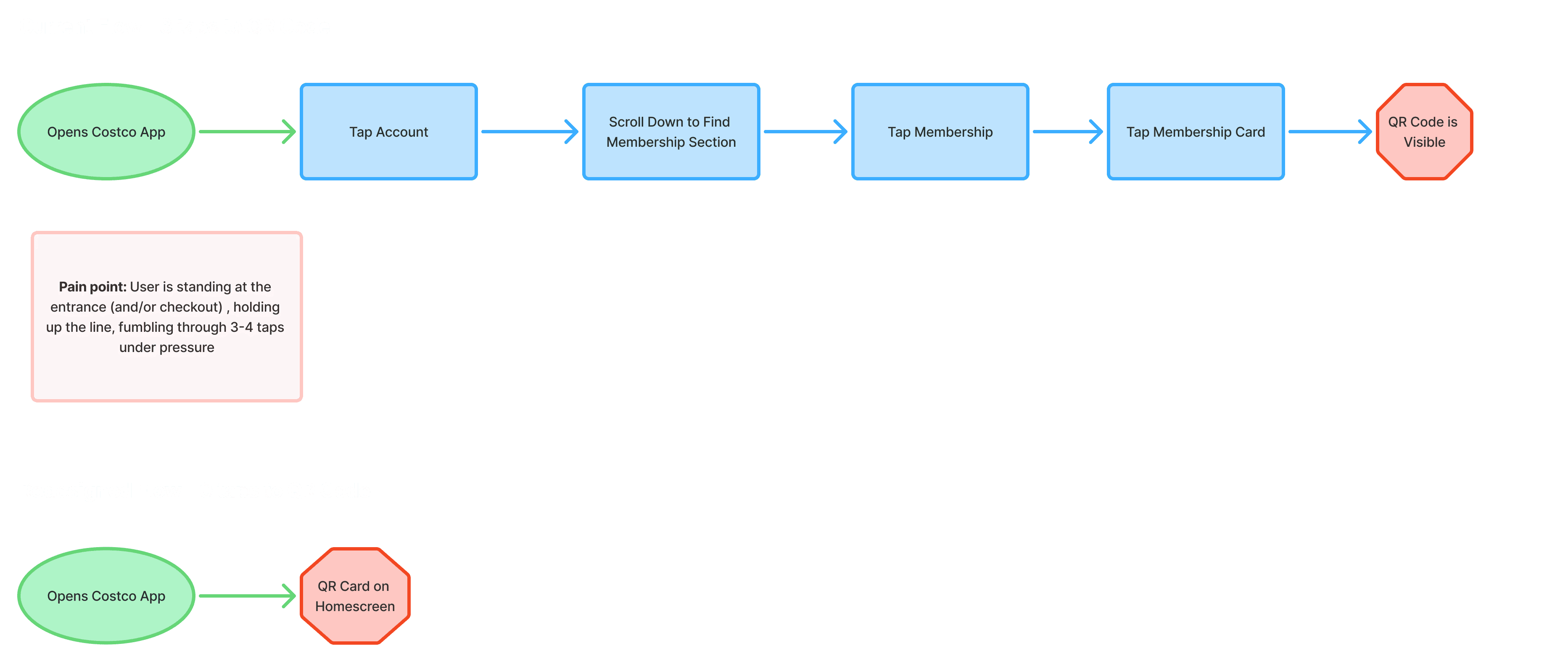
FRICTION POINTS
User scans homepage (membership qr code not found)
User taps account and scrolls account page to find membership section
User needs to tap membership card to spawn qr code
The homepage prioritizes promotional content over the member's actual intent. Every extra tap happens while standing at an entrance with people waiting behind them.
AI Low-Fi
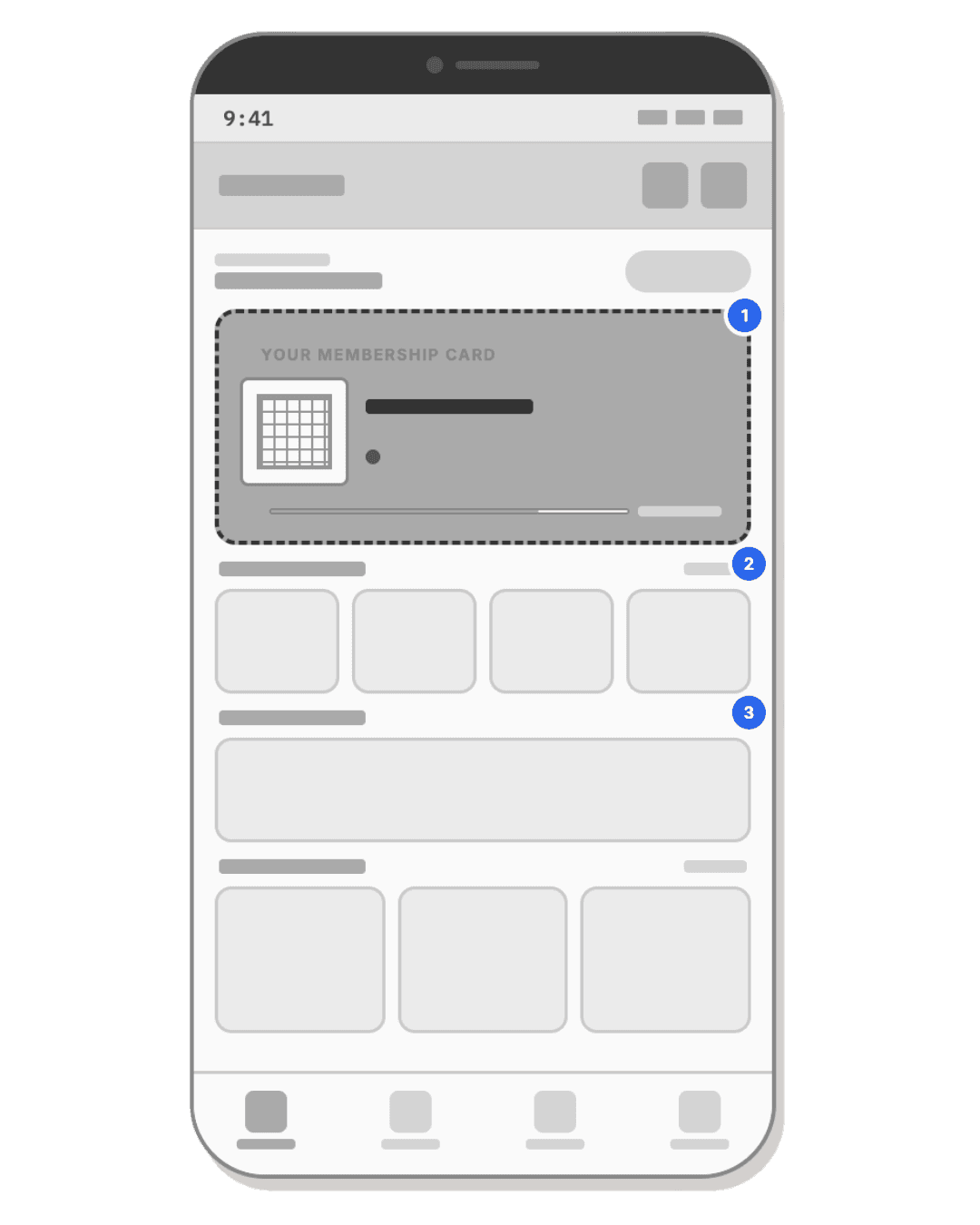
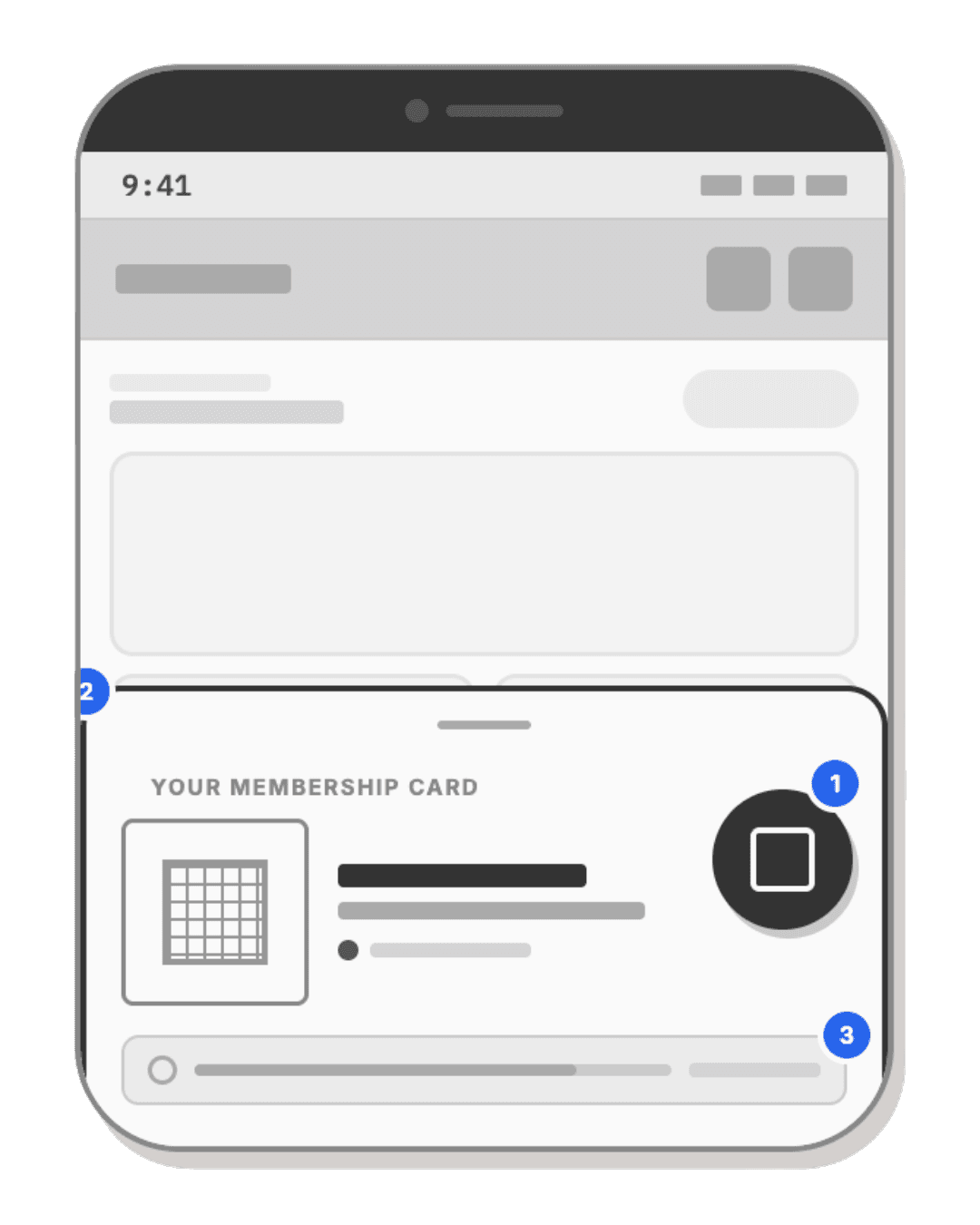
I described the problem out loud and wrote a prompt to my AI Agent. I asked Claude to ask me clarifying questions before building anything. Within seconds I had 3 first draft wireframes representing three genuinely different design philosophies not just aesthetic variations. I screenshotted them into Figma and began making decisions.
V1
V2
V3
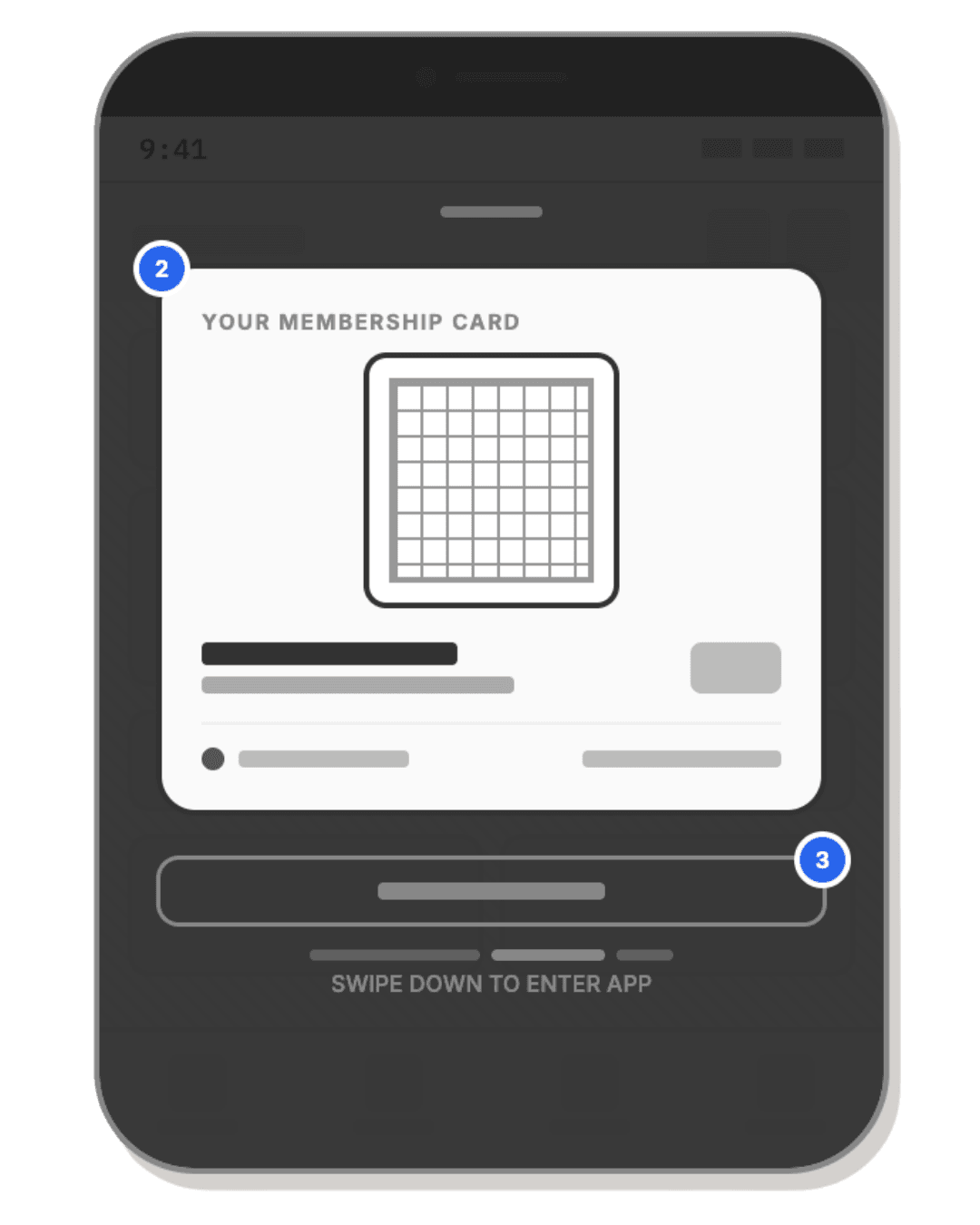
V1 solved the problem without creating a new one. V2 still requires a tap every time the user wants to see the qr code but it would work on any tab as it would be a floating button. For V3, although the user is able to scan the qr code instantly, if they want to browse the require a tap. This also requires a design decision to be made in the interface if the user wants to go back to this screen like the floating button. When dealing with design decisions I go back to the primary goal of the design challenge and the specific user flow I am targeting. Placing ourselves in the shoes of the user, we chose V1. The AI didn't make the design but it killed the blank page problem so I could begin reacting and inventing.
High-Fi
1ST ITERATION
V1
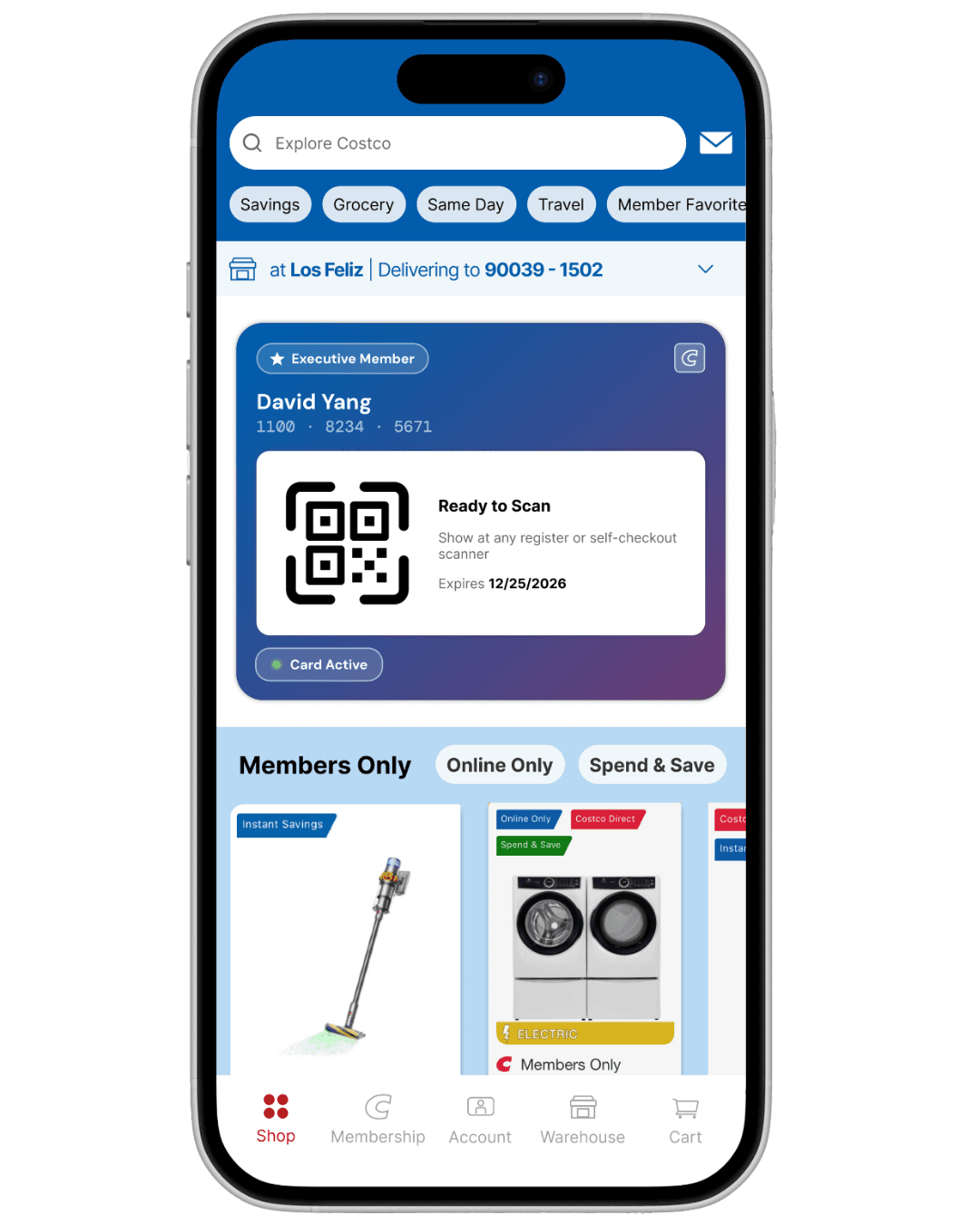
V1
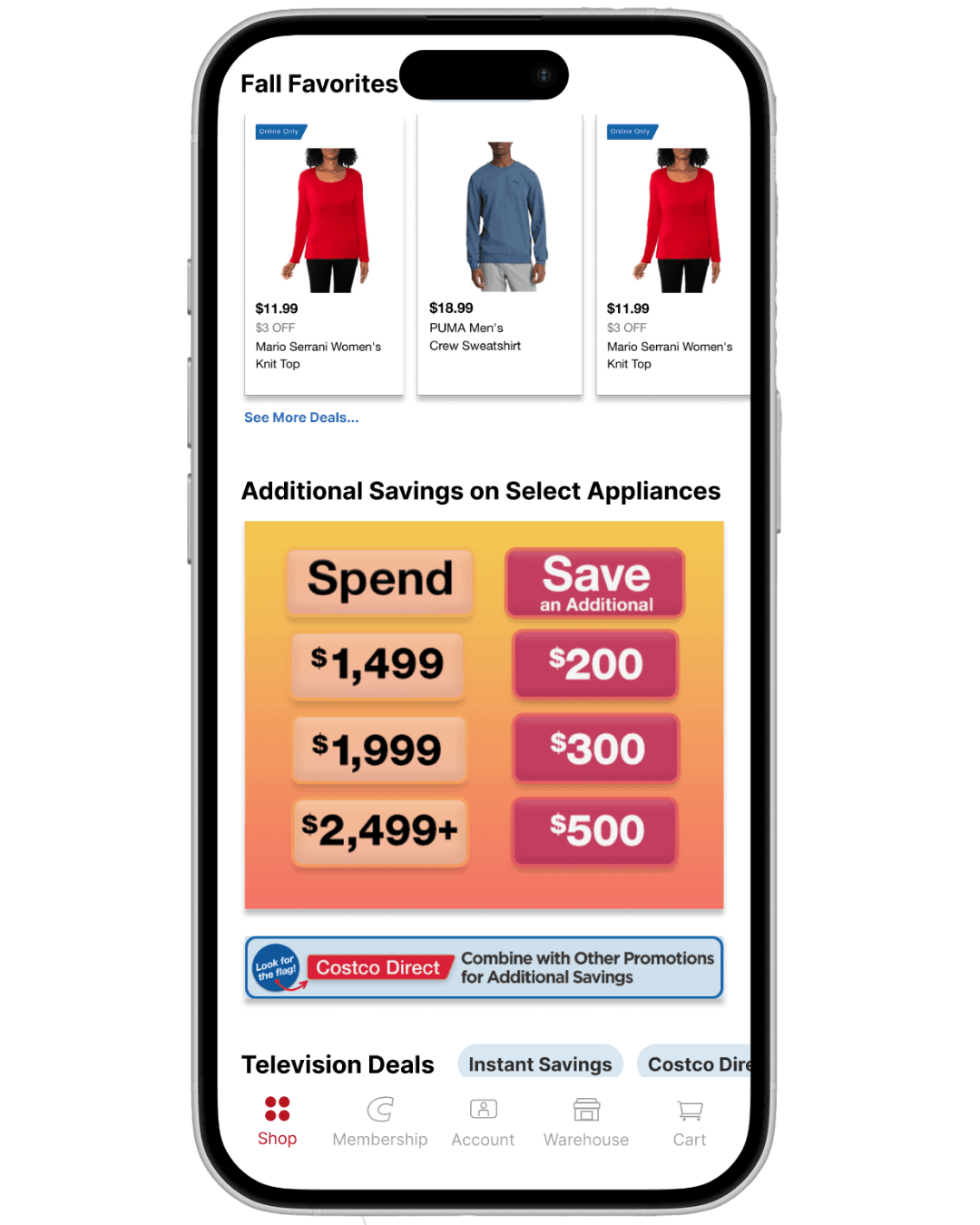
Placing the membership card into Costco's existing UI exposed a deeper problem that the surrounding interface was too outdated to support it. A redesigned card sitting inside an unchanged app created a visual disconnect that undermined the entire interaction. Rather than patch around it, I used this as an opportunity to redesign the homepage from the ground up with the card as the anchor point.
The redesign was also informed by heatmap data. The existing homepage was organized around category sections — Savings, Grocery, Same Day, Travel — that showed consistently low tap density. Members were scrolling past them, not through them. This confirmed that the homepage wasn't actually serving the most common reasons people open the app.
2ND ITERATION
V1
V2
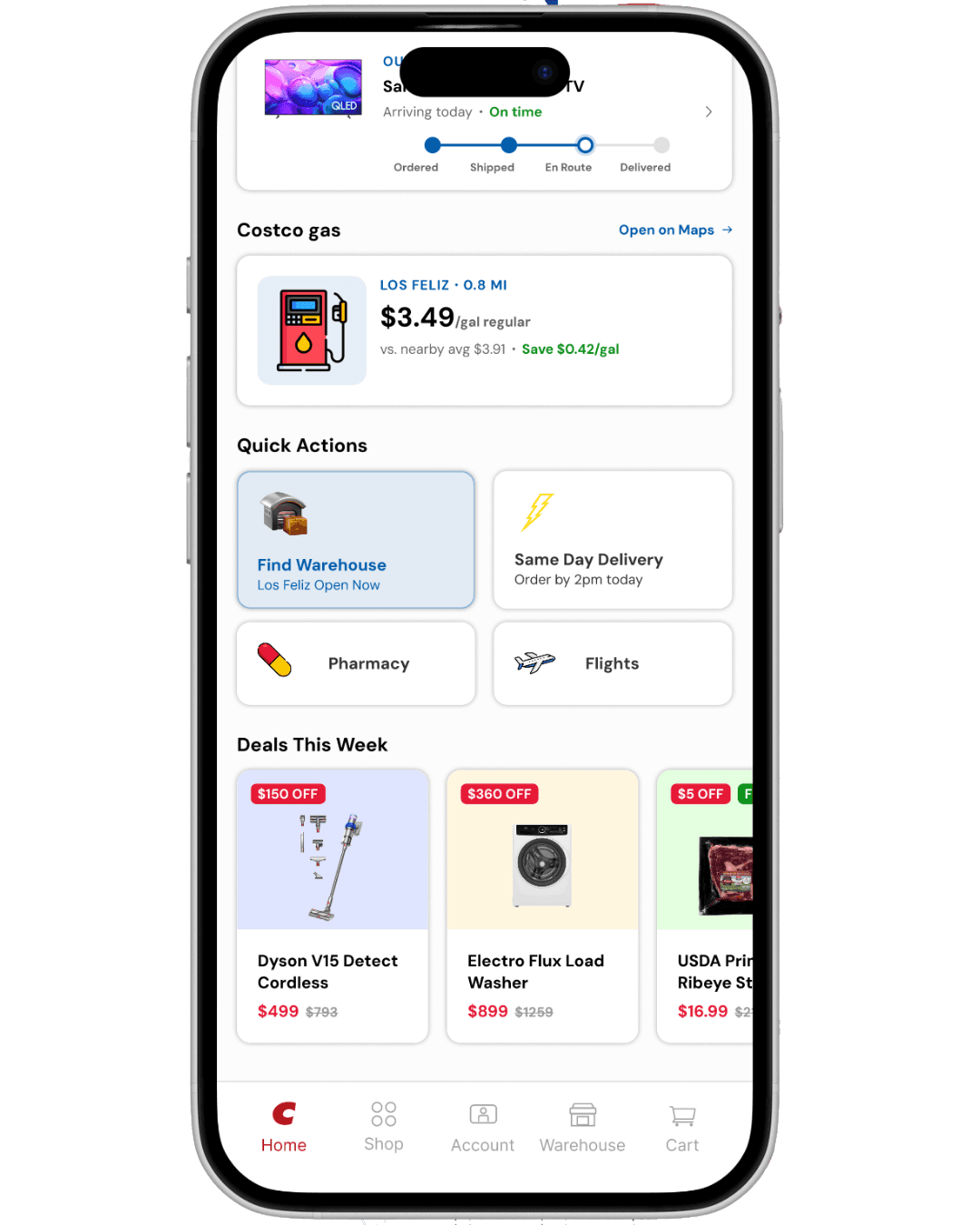
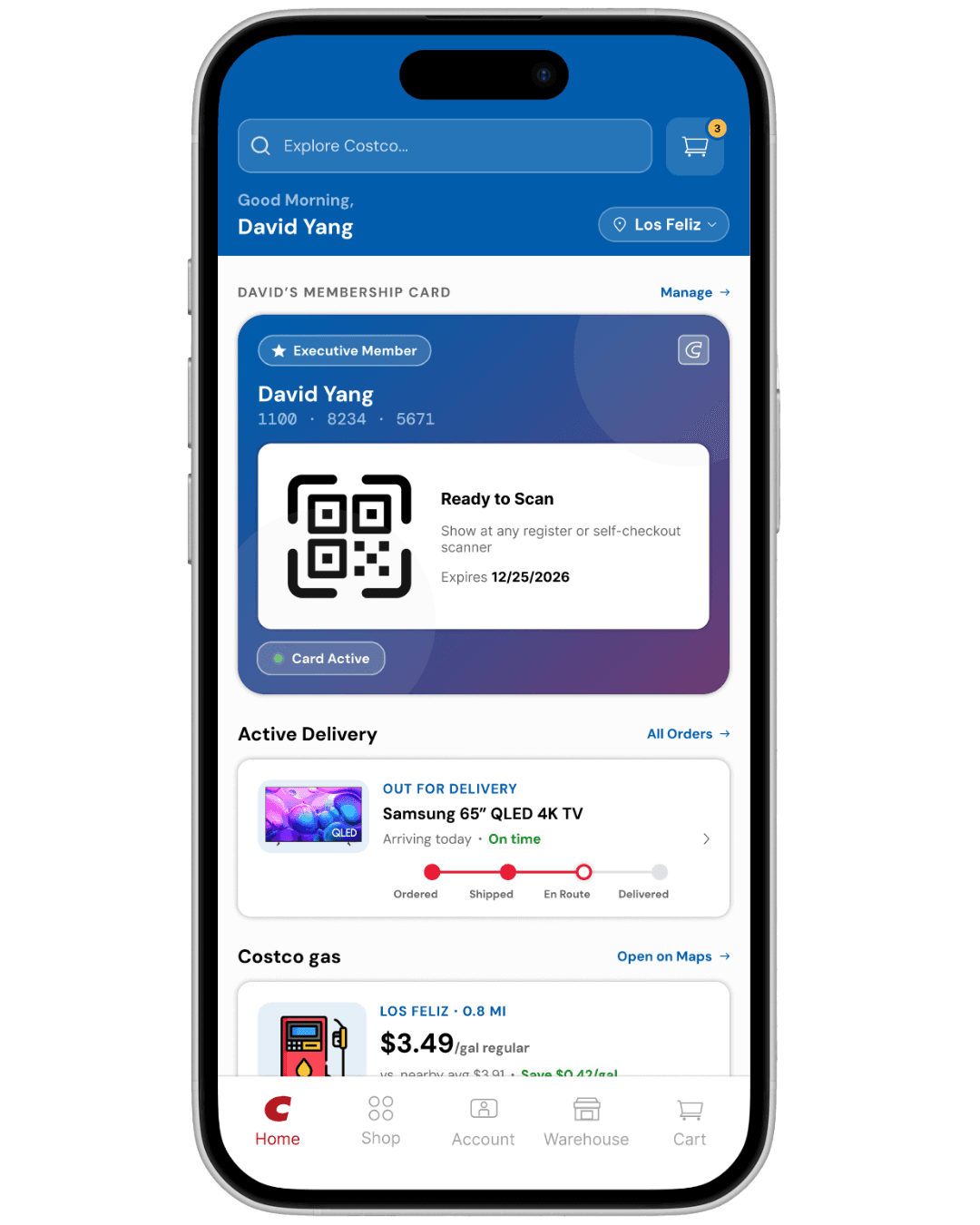
I recategorized the homepage around real usage priority: membership card access first, active delivery tracking second, Costco gas third. These three features account for the majority of intent driven app opens, yet none of them had meaningful surface area in the original design. This also prompted a bottom nav bar change to allow for a simpler, more intuitive sections. Instead of having browsing AND important interface elements such as delivery & costco gas being consolidated on the same page, there are 2 separate sections.
COLOR ALIGNING
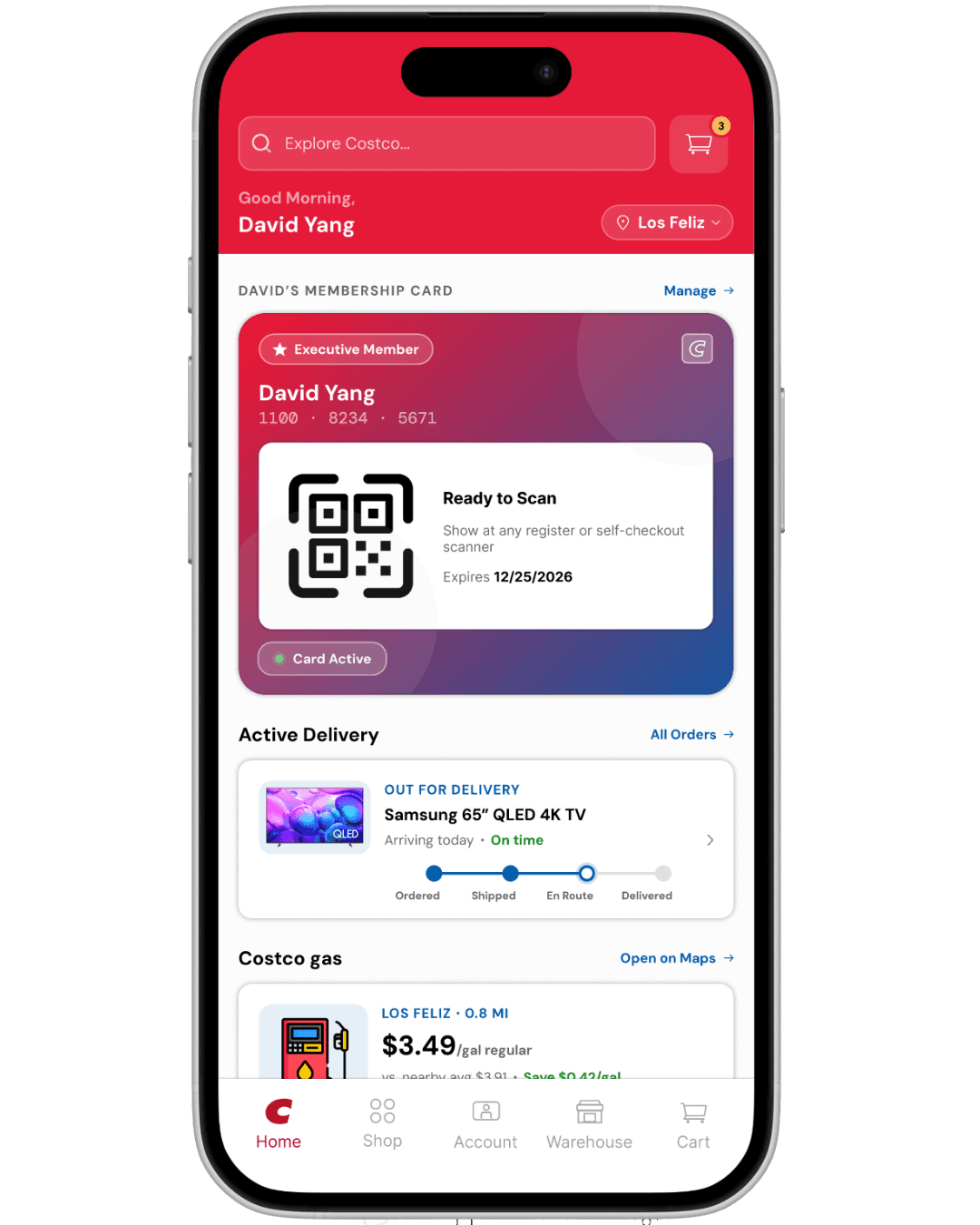
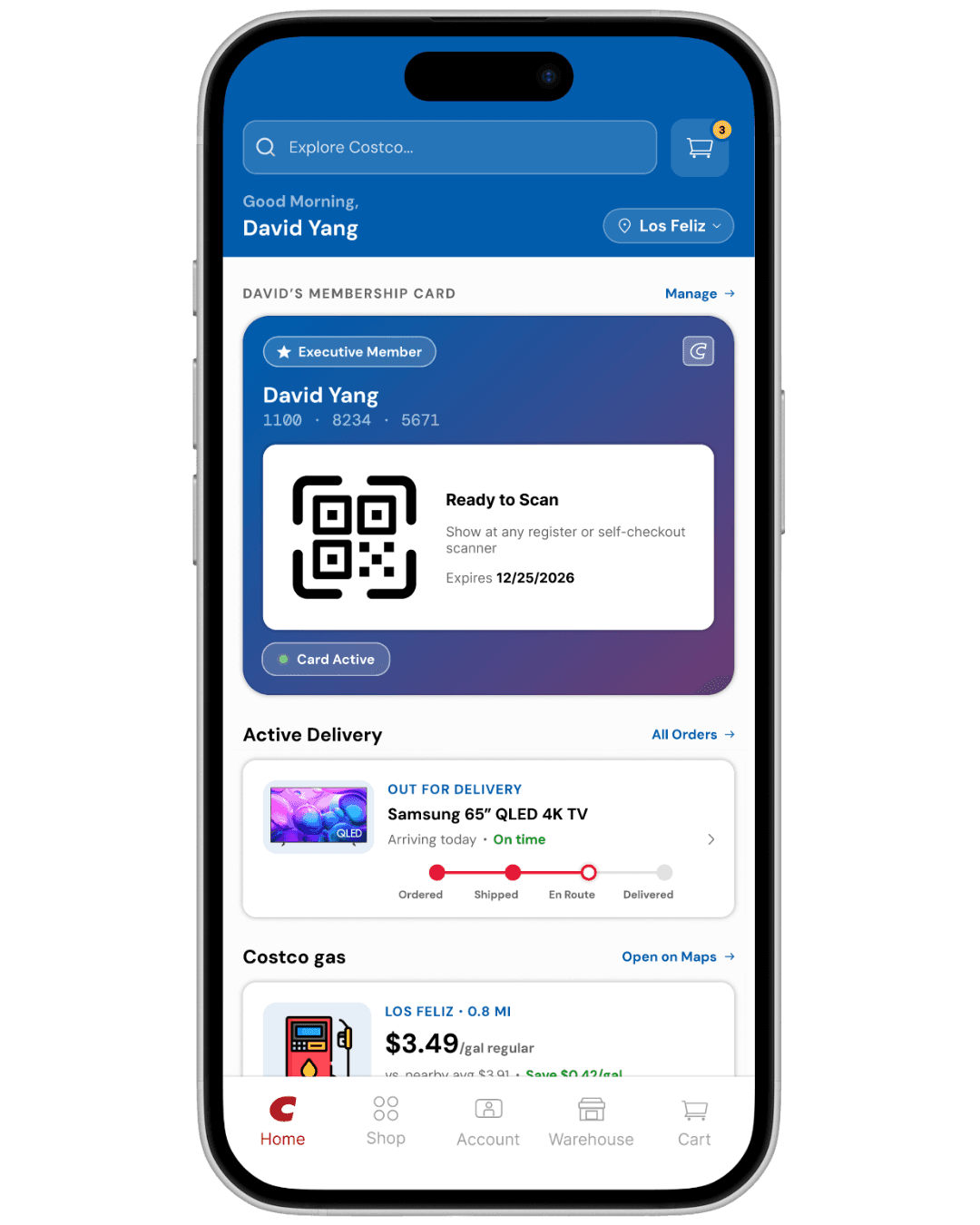
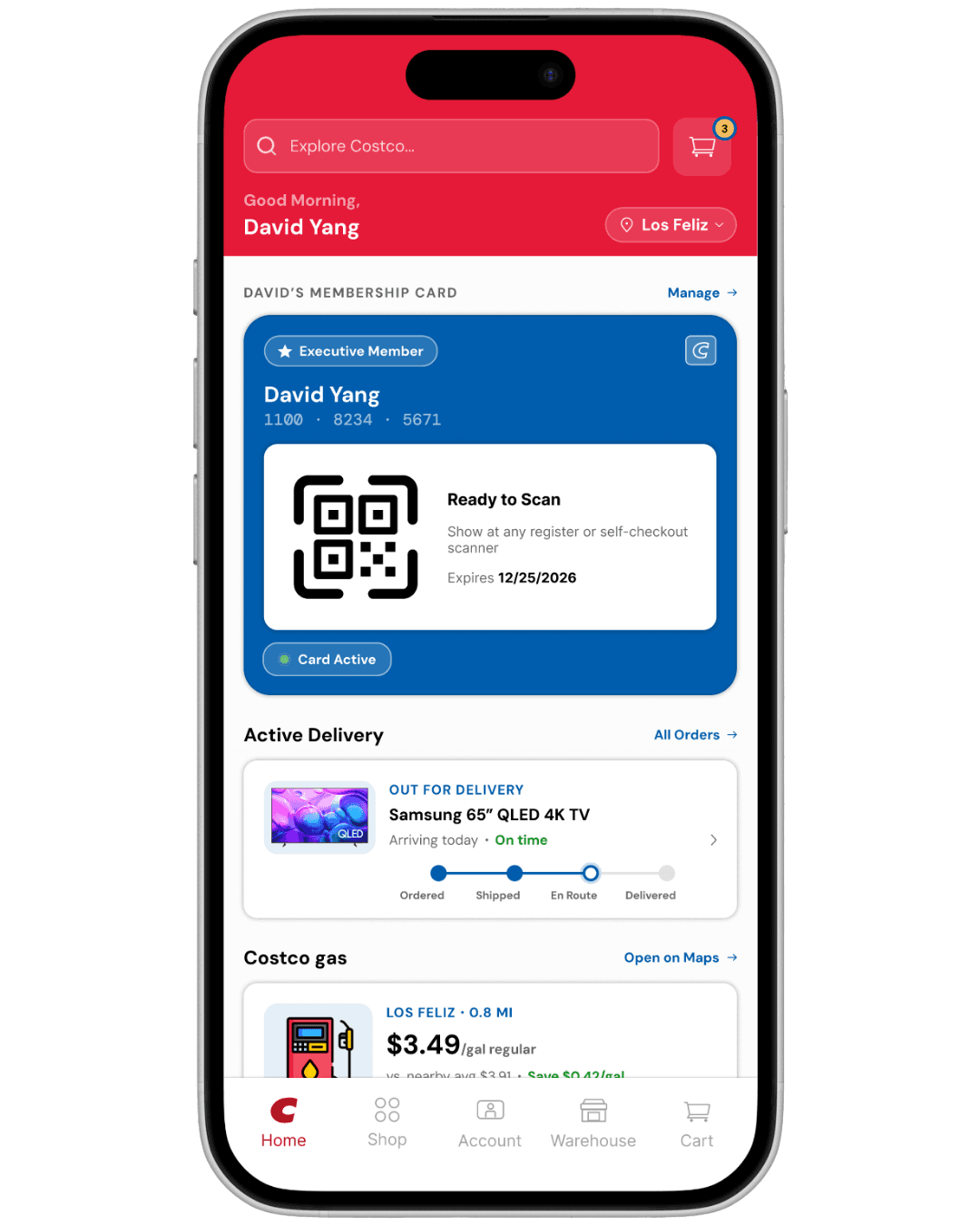
Color decisions for both the card and homepage were grounded in brand recall. Costco's identity lives in two colors, red and blue, and every surface was designed to activate that association intentionally.
V1
V2
V3
V4
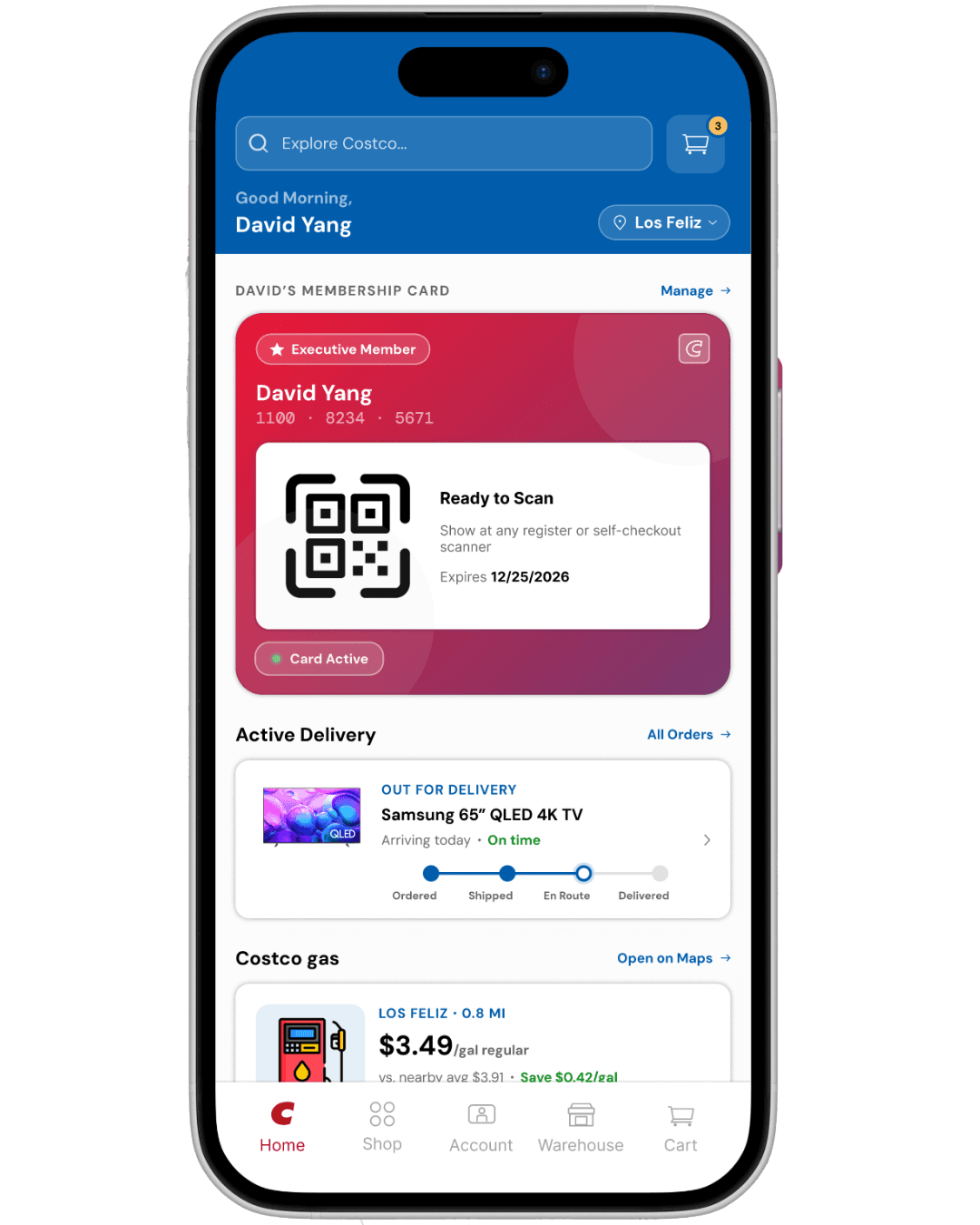
After surveying users, red emerged as the dominant color association with Costco, but applying red across the entire header created an interface that read as Target, not Costco. The blue header was kept to anchor the screen in Costco's identity, while the membership card uses a red to blue gradient that pulls both brand colors into a single part giving the card its own visual weight without competing with the UI around it. This also reinforces hierarchy as the blue header says app, the gradient card says yours. V4 was the decision I made.
03 Solution
Final Design
04 Metrics
The metrics in this dashboard are hypothetical projections based on industry benchmarks and publicly available data. I grounded my projections in real comparisons including Starbucks, Walmart+, Nielsen Norman Group, and AppsFlyer to reflect what success could look like if this redesign were implemented. My intent is not to claim results, but to show how I think about design impact beyond the screen.
Metrics Dashboard
TAPS TO CARD
Before: 4-5 Taps
After: 0 Taps
TIME TO QR CODE
Before: ~22 sec avg
After: ~3 Sec avg
IN APP QR SCAN RATE
Before: ~34% of members
After: ~57% of members
05 Reflection
Thoughts & Changes
I initially tackled this project to redesign Costco's entire outdated app, but I learned how you could be effective in understanding 1 User flow of your personas and solving pain points or areas of friction that may be limiting the app's usability. Comprehensively understanding a user's experience often comes from iterating and refining smaller details to better align with user behavior and realizing the effects of these changes.
What I would do differently is apply primary research data such as interviews or surveys to have data driven design that resonate with our target users.
One thing I learned is to always tell a story with your designs — don't just design things because they're pretty or look nice, but all designs should solve a certain user problem/need.