Igloofest
Placed 1st in HUMANITHON 2025
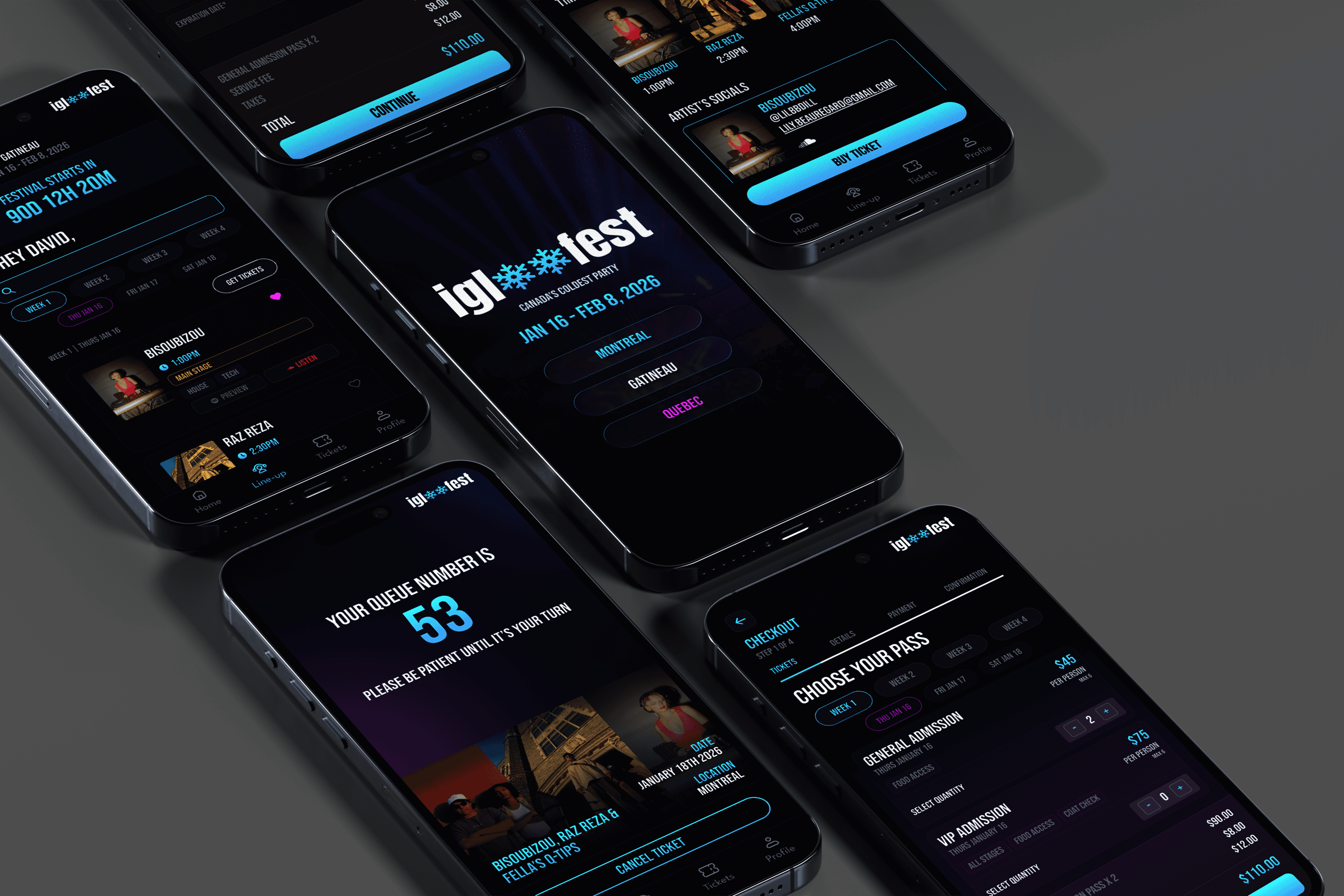
Concert Ticket booking Application which allows the users to view the line ups of the concert, the artist's information and booking a ticket to the concert
Project Details
TIMELINE
Oct 17th ~ Oct 19
ROLE
Lead UI/UX Designer
Branding
TOOLS
Figma
01 Problem
For HUMANITHON 2025 we were tasked with designing an app for Igloofest, an annual outdoor electronic music festival held at Montreal's Old Port. This was a UX design hackathon entirely independent from AI assistance. This was a 47 hour virtual event, with a total of 6 teams each ranging from 3-5 team members.
Project Parameters
Requirements:
Branding - No use of existing IGLOOFEST brand files
AI - No AI-generated design assets, prompts, or writing
Screen Deliverables:
Home screen - overview of the event, highlights, or mood-setting visuals
Lineup / Schedule - View artists, times, and stages easily
Ticket Checkout Page - Design a smooth, user-friendly checkout flow. *Transaction Component
Research
UNDERSTANDING THE USER
“Scalpers are my biggest concern as they tend to buy as many tickets as they want and to sell it at a higher price”
“Almost every concert ticket purchasing app requires the user to enter the payment page through A browser instead of the app. It leads to additional loading time”
COMPETITIVE ANALYSIS
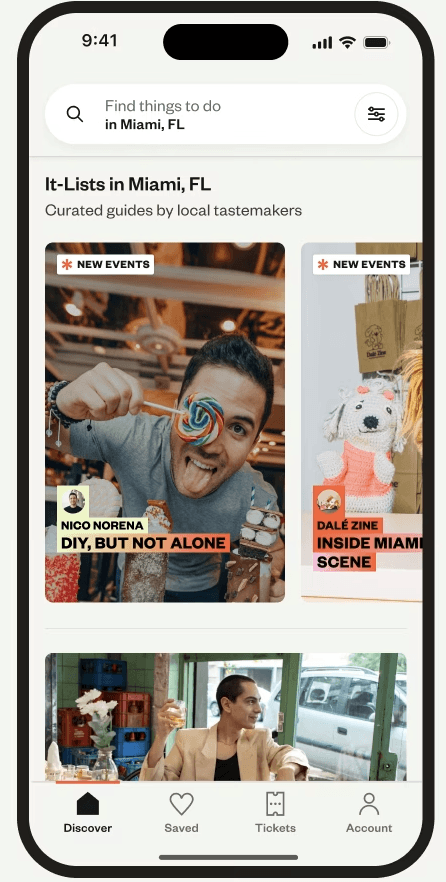
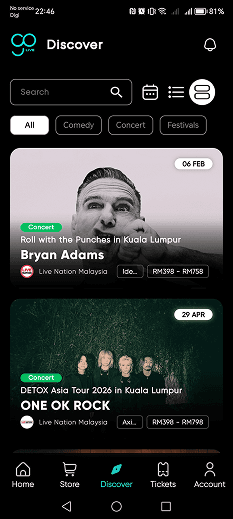
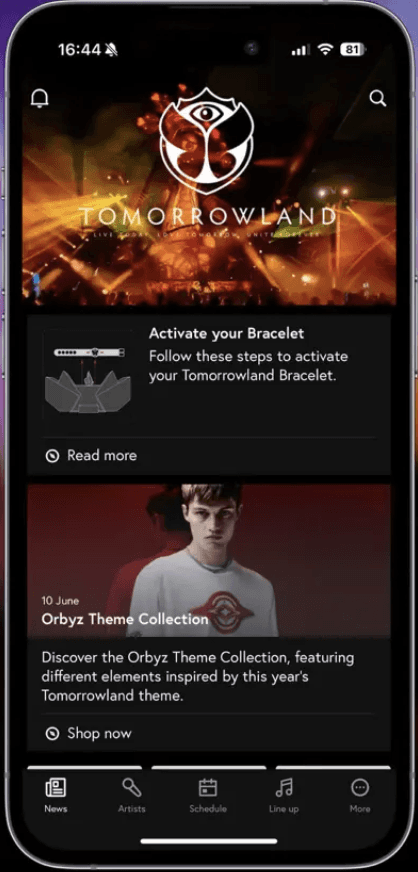
Before we began designing we wanted to look into similar apps and competitive designs to understand what current users expectations are and to identify any patterns within the user experience but also to see any gaps where we can enhance our app.
Eventbrite
Go Live
Eventbrite
We discovered that they all lead straight to browsing and use image heavy cards with key info kept minimal. One thing we noted however was the limitation this caused for the amount of cards that can fit on a screen. We wanted browsing to be an easy, accessible experience without too much friction.
We also discovered the lack of discovery apps that focus specifically on one event. This was an important observation because for Igloofest instead of "help me find an event," users are asking, "Which night should I go?" and "Who's playing when?" as our app is specifically catered towards 1 event which shifts the user experience.
Design Challenge
How might we help Igloofest attendees easily discover, plan, and book their festival experience in one seamless mobile flow while maintaining brand identity?
02 Design
Our Design Process
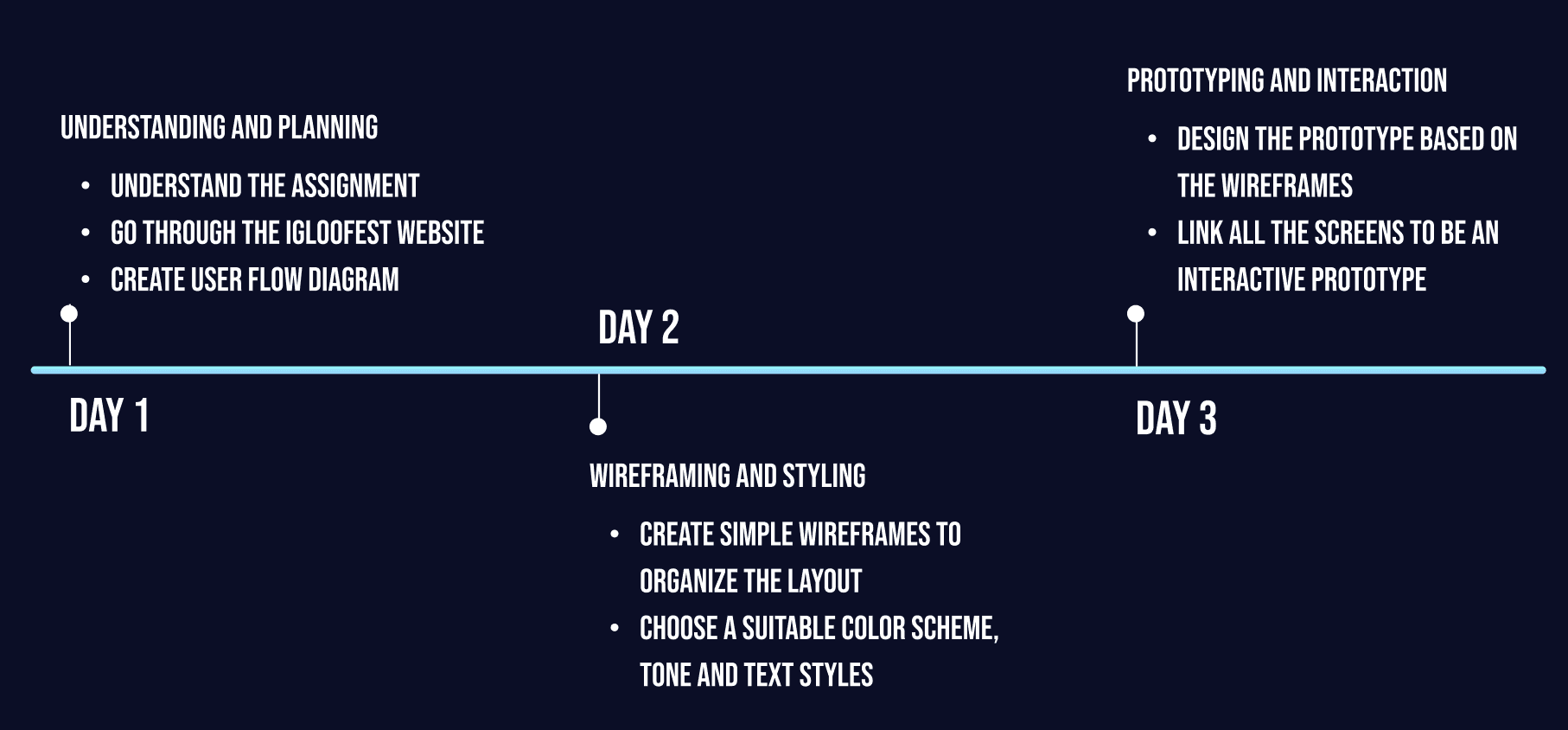
Due to the limited scope of the project, we decided to identify core design focus areas to have a clear, unified understanding of our goals and expectations for our app.
Visual Identity - Branding that still captures IGLOOFEST's frosty, energetic atmosphere
Usability & Flow - Clear navigation and logical interactions
User Empathy - Design choices that support accessibility and diverse user needs
USER FLOW
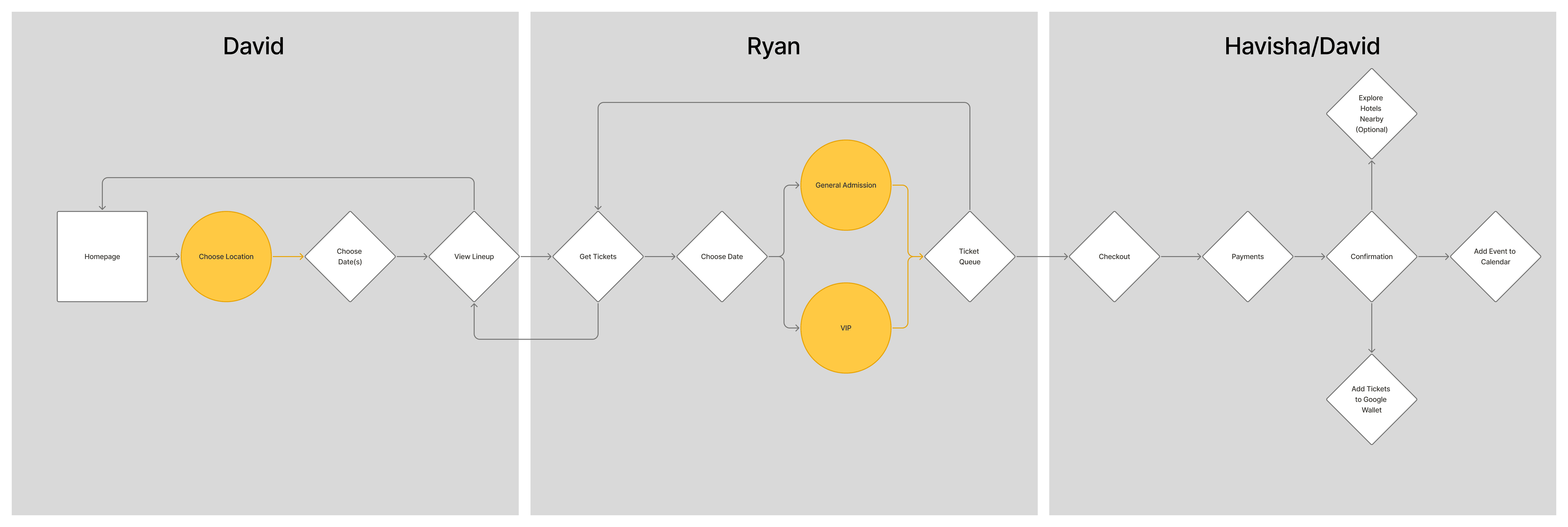
Sketches
After splitting the work, I began by designing a simple, low-friction live digital ticket purchasing experience for the core user story.
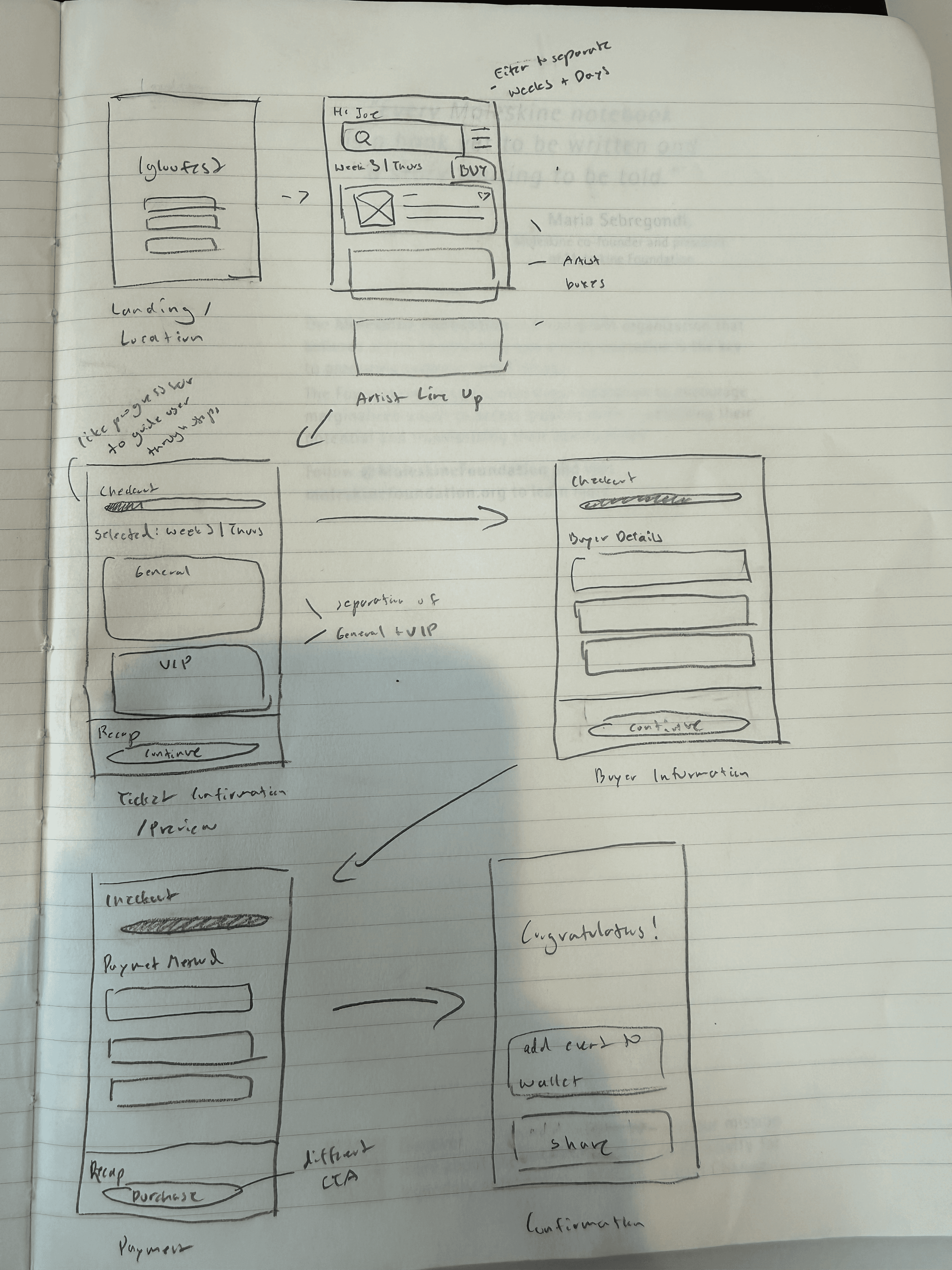
I conducted 5 different user interviews to ensure I'm not missing any steps. A couple takeaways I received from user feedback was how common it was to get lost in ticketing apps due to the nature of overwhelming information, harming the UX and causing decision fatigue.
I also learned the importance of a confirmation screen as it carries both a functional and an emotional purpose. It creates touchpoints for the app (add to wallet, sharing with friends) that extends the product's reach beyond the transaction, but it also closes the loop for the user. After spending money and revealing personal details, the confirmation screen is where users can leave the app with certainty that their transaction went through which is key in a ticketing app.
Validating Design Decisions During Low-FI Stage
LINE UP SCREEN
V1
V2
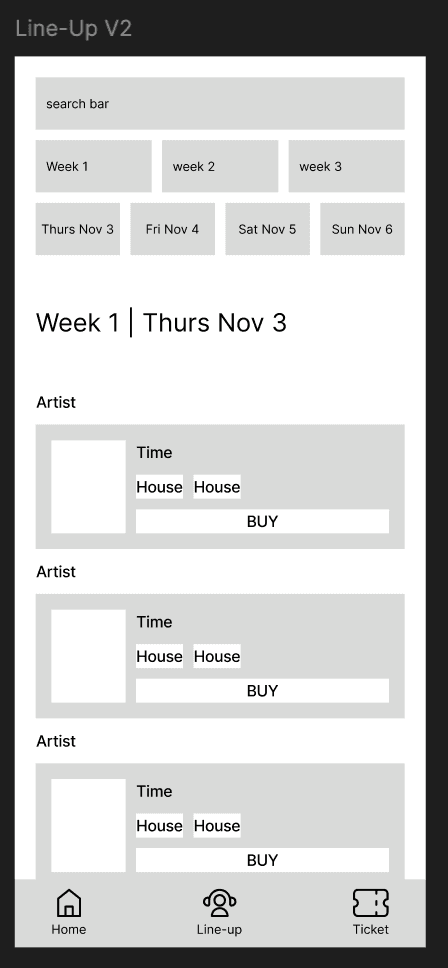
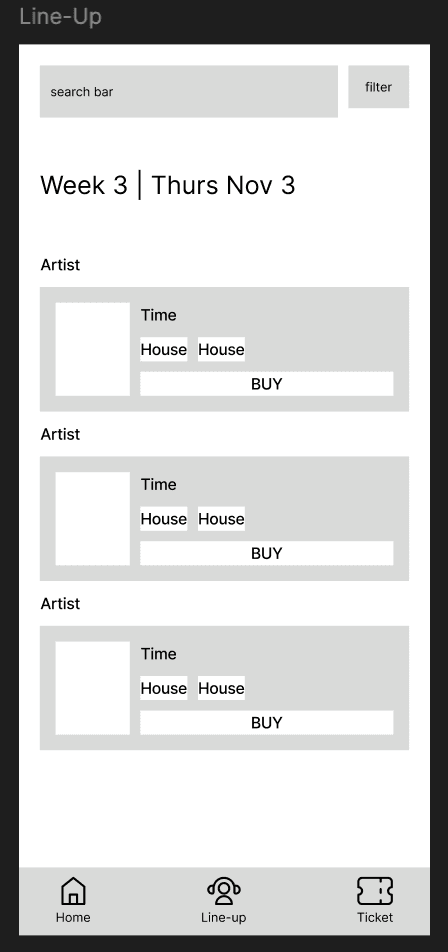
Implementing the feedback from the user interviews I designed 2 variations to tackle the user experience of the Line-up Screen.
1 version had a filter bar, and the second version laid out the different weeks and days into buttons so all they have to do is click on the respective times they want to browse for the artists. After A/B testing with the same participants, users preferred Lineup V2 due to its intuitive design. They found it "easy to use" and "simple and direct".
PAYMENT SCREENS
V1
V2
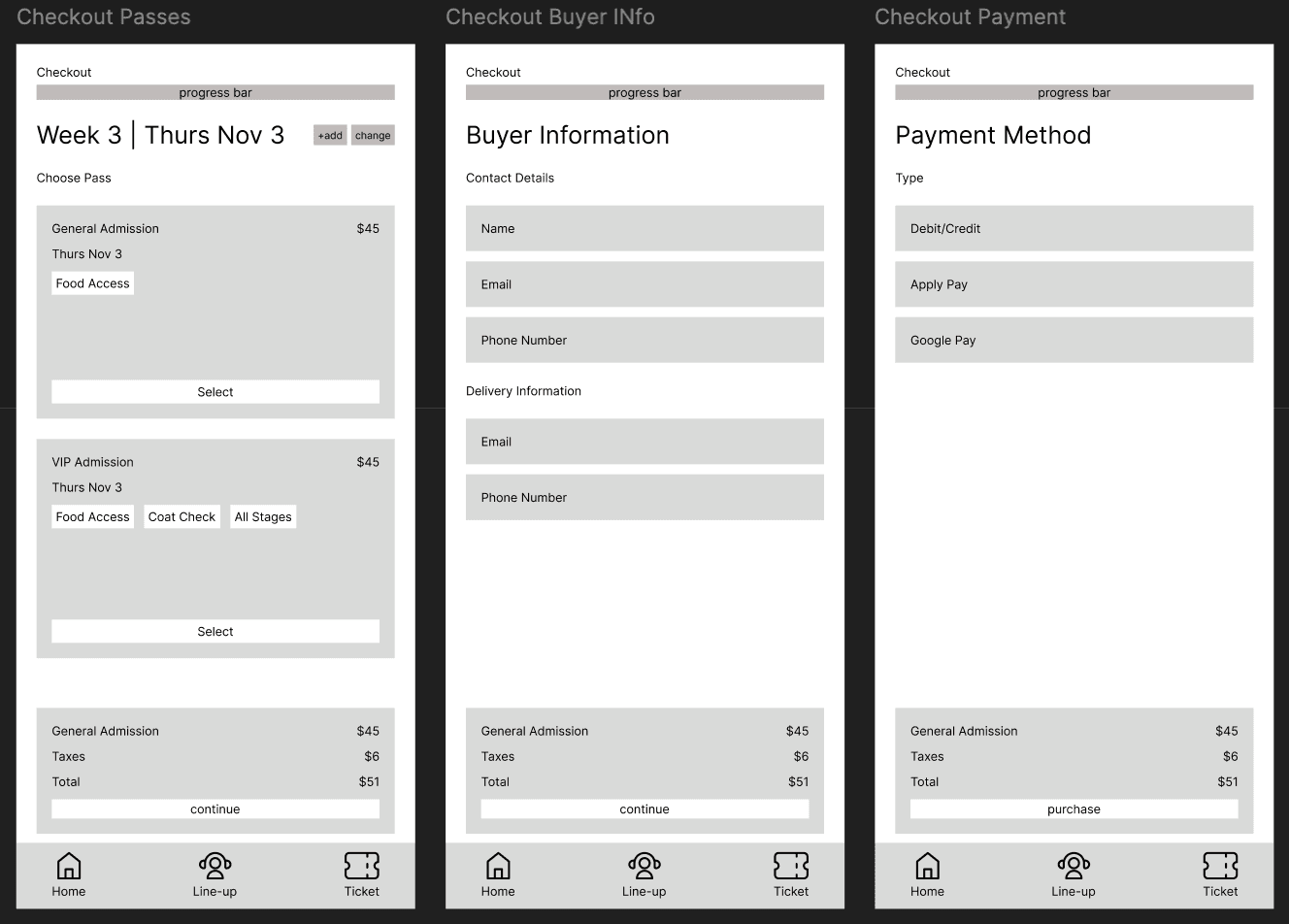
I asked the same participants to A/B test two checkout variations — a consolidated single-screen and a separated multi-step flow. They consistently preferred the multi-step flow, describing the single screen as lazy and outdated for entering payment details. The progress indicator gave users a sense of control and transparency, which proved critical for an unfamiliar ticketing app.
Multi-step checkouts with progress bars are on apps users trust most such as Ticketmaster, AXS, Eventbrite, and Apple Pay which goes to show that checkout design isn't just about convenience, but it's also about reducing that psychological discomfort. This finding led me to prioritize credibility over speed in the final design.
High-FI
03 Solution
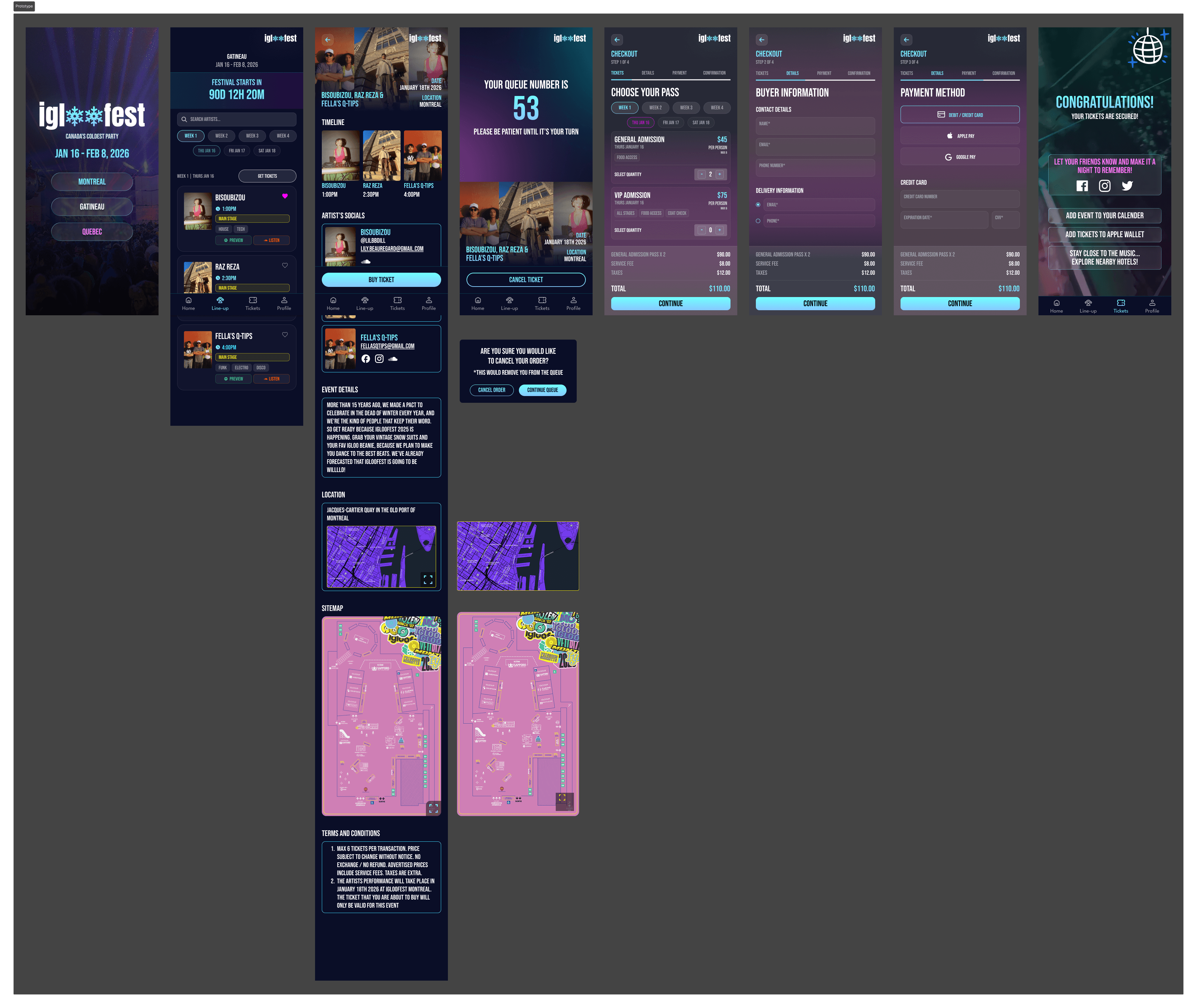
Direct, Streamlined Artist Navigation
By replacing traditional filters with a structured, date based interface, the design simplifies decision making and mirrors how users naturally think about events.
Queue Based Ticket Access Control
The queue based ticket system regulates user entry during peak demand, reducing server strain and discouraging bulk purchasing. Combined with ticket limits, it promotes fairness and protects availability for real users.
Trust Driven Multi-Step Checkout Flow
The multi-step checkout introduces structure and transparency through a guided, three step flow with a progress indicator.
04 Metrics
The metrics in this dashboard are hypothetical projections based on industry benchmarks and publicly available data. I grounded my projections in real comparisons including Starbucks, Walmart+, Nielsen Norman Group, and AppsFlyer to reflect what success could look like if this redesign were implemented. My intent is not to claim results, but to show how I think about design impact beyond the screen.
TICKET PURCHASE CONVERSION
Before: 12.6 %
After: 15.0%
CHECKOUT COMPLETION RATE
Before: 60%
After: 82%
04 Reflection
This project taught me that effective UX is often about reducing friction and uncertainty, not just speeding up a flow. User interviews and A/B testing helped me understand how small design decisions like a clearer lineup layout or a more transparent checkout process can have a major impact on confidence and usability. The experience reinforced the value of designing for trust, especially in unfamiliar transaction heavy products.
Next steps for this app would be an in-app ticket view space and a screen that displays any upcoming events!